
Poko video is a local AI video agent. It scans a project repo, website, PDF, or PowerPoint deck. Then it builds a full video from that source. The tool reads your content, pulls brand colors and fonts, writes a script, and adds scenes with motion. You watch a live preview as it works. A chat editor lets you make quick changes. As I said, everything happens on your hardware, so your files stay local and private.
Poko video Pros And Cons:
Pros:
- Runs locally, so files never leave your computer
- Builds full videos from files you already own, like PDFs or repos
- Chat-based editing skips the learning curve of timeline tools
- Covers many source types, from websites to research papers
- One-click export removes cloud render wait time
Cons:
- Local processing means output speed depends on your own machine’s power
Poko video Monthly Pricing
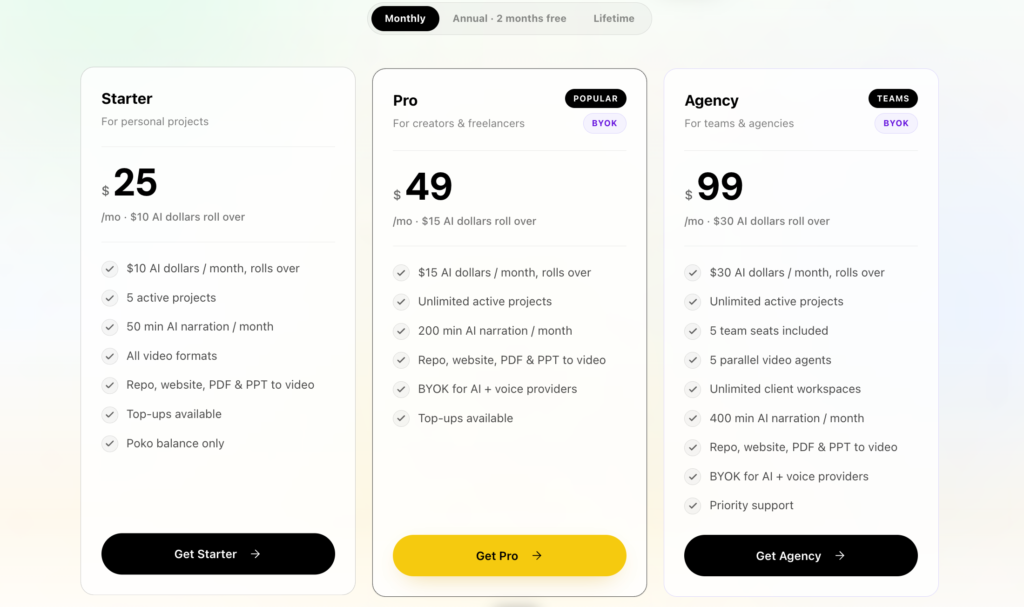
Poko video’s home page and pricing page show its standard plan structure outside of AppSumo. As a matter of fact, since the tool runs locally on your machine, pricing may differ from typical cloud-based video tools that charge per render or per minute. Check Poko video Pricing Page directly for current monthly plan details, since local software pricing models often shift based on feature tiers or version updates.
Poko video Review | Best Local AI Video Creator for Product Demos
10 Key Features Of Poko video
01: Website To Video
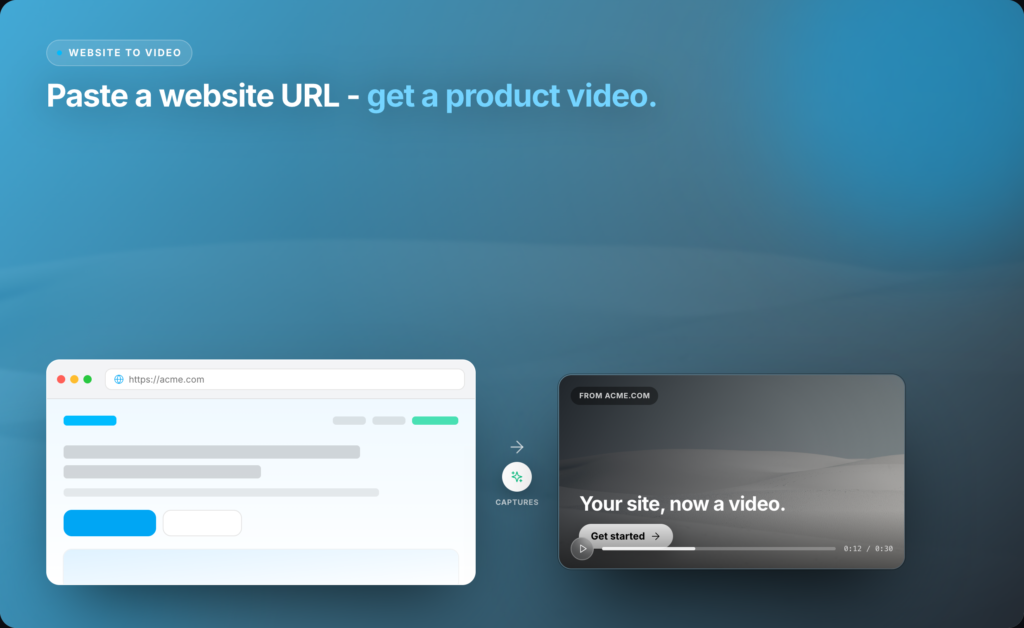
Give Poko video any landing page or product URL. The agent captures the page and reads the offer. It pulls visual style straight from the site design. Then it builds full motion scenes based on that content. You get a video that matches your brand look without extra design work. This works well for product launches, promo pages, and quick pitch videos.
To be honest, this saves a lot of manual screen recording and slide building. You just drop a link and watch the agent work. The result appears in the live studio, where you can tweak pacing, colors, and text through simple chat commands.
No timeline skills needed. This feature suits marketers who want fast website walkthroughs without hiring outside video help.
02: Repo To Video
Pick any code repo on your computer. This could be a SaaS product, a design project, or a marketing repo. Poko video reads your files and understands the structure. It pulls brand assets and writes a script based on what it finds.
Then it builds a complete motion video with scenes and transitions. This feature helps developer teams show product updates fast. You don’t need to record your screen or write a script by hand. The agent handles that part.
Speaking of which, this saves real hours for teams that ship updates often. Founders can turn a raw codebase into a clear product story in minutes. The live preview shows changes right away, so you catch issues early. This makes Poko video a strong fit for technical teams that skip traditional editing tools.
03: PDF To Video
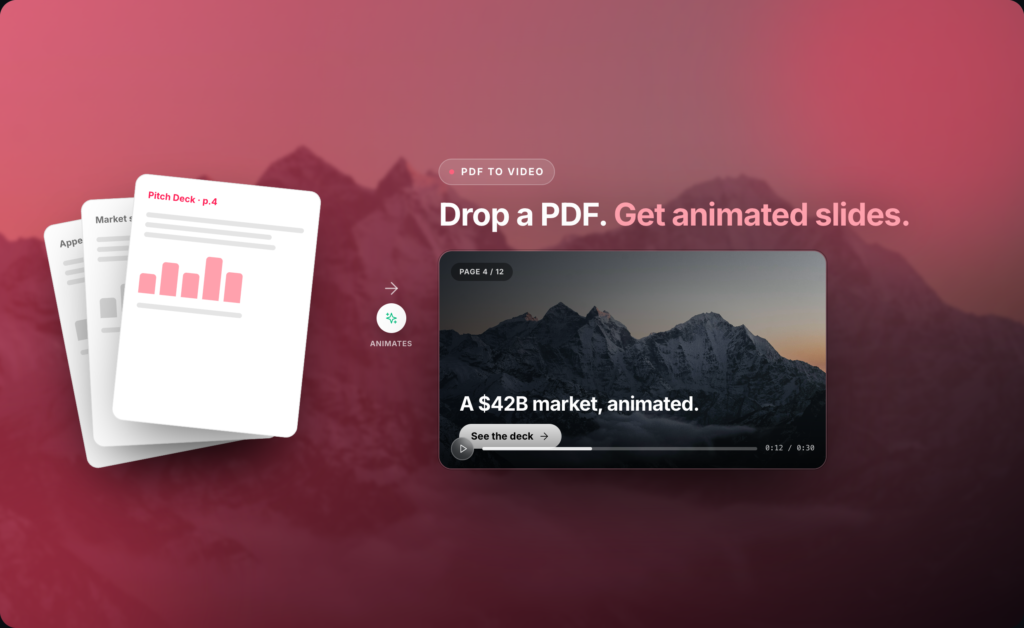
Select any PDF file. This could be a pitch deck, a whitepaper, or a product guide. The agent reads every page in order. It writes narration based on the content and builds a polished video with transitions between sections.
You avoid rebuilding slides by hand. This matters for teams with long reports that need a simple video summary. The tool keeps the flow of your document while adding motion and pacing. You can ask the chat editor to slow a scene down or change a background color. That being said, this feature works best for structured documents with clear sections.
Sales teams can turn old PDFs into shareable videos fast. Investors and clients often prefer a short video over a long document, and this feature closes that gap without extra editing work.
04: Slides To Video
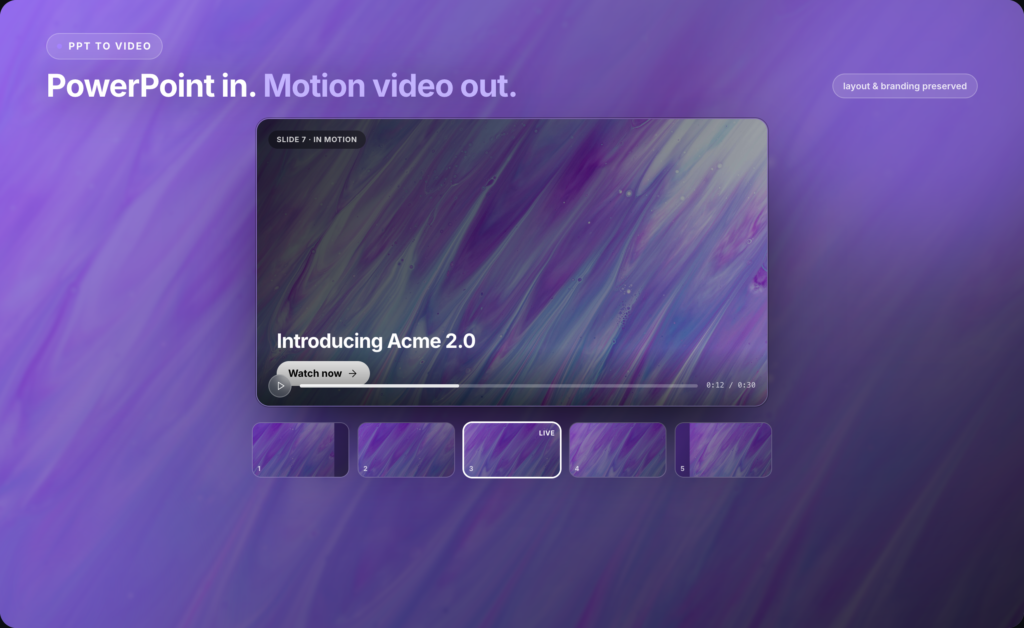
Hand the agent a PowerPoint file. It pulls your slides, keeps your layout, and adds your brand colors. Then it adds cinematic motion between each slide. You get a full video without manual slide-by-slide editing.
This helps teams that already built decks for pitches or reports. Instead of recording a screen share, you get a polished output ready to post or send. The tool respects your original design choices, so branding stays consistent.
You can still request edits through chat, like changing text size or slide order. On a daily basis, sales and marketing teams use decks for outreach, so this feature turns static slides into shareable video content fast. This saves time for agencies handling client decks on a regular basis.
05: Research Paper Video
Poko Video can also read research papers and academic PDFs. It picks out key findings and turns dense text into a clear, narrated video. This helps students, researchers, and educators share complex work in an easier format. Long papers become short, watchable summaries. You skip writing a script from scratch.
The agent builds the story order based on the paper’s structure, such as the introduction, methods, results, and conclusion. You get a clean video that keeps the paper’s logic intact. This helps academic teams share findings on social media or during talks. Guess what? This cuts hours off manual video prep for conference presentations.
Universities and research labs can turn old papers into short explainer clips quickly. This feature also helps grant writers show impact to nontechnical readers. The chat editor lets you simplify jargon or add a slower pace for difficult sections.
This makes Poko Video useful for anyone who needs to explain in-depth research in a short, clear video format without hiring a video editor.
07: Product Demo Maker
Poko video builds product demo videos from your files or repo. It shows features in action with clean motion scenes. You avoid screen recording software and manual voiceover work. The agent picks key screens or code sections and turns them into a smooth walkthrough. This helps SaaS founders show their product to new users or investors fast.
As far as I know, most demo tools need manual clip trimming and voice recording. Poko video skips that step. You get a finished demo video in one session.
Teams can update the demo each time they ship new features, since the process takes minutes, not days. This feature suits early-stage founders who need a demo ready before a launch or investor call, without a full production team backing them.
08: Motion Ad Creator
This feature turns product details into short ad-style videos. The agent adds text, product shots, and quick cuts that match ad formats used on social platforms. You skip hiring an ad editor for basic promo content. Small teams can test multiple ad angles fast, since each video builds in minutes.
That reminds me, ad testing works best with more variations, and this tool makes that testing cheaper. Marketers can point the tool at a product page and get several ad drafts to compare.
This suits e-commerce brands and small agencies running paid campaigns. You still control pacing and text through the chat editor, so brand voice stays intact. This feature turns product data into ad content without a full creative team on payroll.
09: App Promo Videos
Poko video builds promo videos for mobile and web apps. Point it at your app’s site or repo, and it creates a video showing app features and use cases. This helps app founders create App Store or Play Store preview videos.
The tool adds motion between screens, so the video feels active, not static. I couldn’t help but notice, most app promo videos look the same because teams reuse old templates.
Poko video builds unique scenes based on your actual app content, so results feel more custom. Founders can update this promo every time they add app features.
This feature suits solo app developers and small teams without a design department. You get a demo-ready video for launch day, app store listings, or social media, all built from your existing app assets.
10: Social Media Clips
This feature turns any source, a website, PDF, or repo, into short clips built for social feeds. The tool trims content down to fit platform limits and adds fast-paced motion.
This helps marketing teams post more often without extra editing hours. In my opinion, short clips perform better on social platforms than long videos, and this tool makes short-form content easy to produce.
You can generate multiple clips from one source file, each with a different angle or focus. Teams running content calendars can build a week of clips in one sitting.
This feature works well for founders, marketers, and creators who need constant social content but lack a full video team. The chat editor helps adjust pacing per clip, so each one fits the platform it targets.
11: Startup Launch Videos
Startups often need a launch video fast, and Poko video builds one from your existing site, deck, or repo. It creates a story-driven video showing the product, the problem it solves, and why it matters.
This helps founders launch on platforms like Product Hunt without hiring a video agency. The way I see it, launch day moves fast, and founders rarely have days to spare on video editing.
This tool cuts that time down to one session. You control the final script and pacing through chat commands, so the story stays accurate. This feature suits early-stage founders prepping for demo day, crowdfunding, or public launch events.The result gives a polished first impression without the usual agency cost or turnaround time.
12: Timeline-Free Editing
Most video tools force you to work on a timeline with clips, audio tracks, and keyframes. Poko video skips that setup. You edit through chat instead. Ask for a scene change, a color swap, or a pacing fix, and the agent applies it. Come to think of it, timeline editing takes real training, and most non-editors avoid it because of that learning curve. This feature removes that barrier completely. You describe what you want, and the video updates in the live preview. This suits founders, marketers, and teams with no editing background. The tool still gives full control over the final output, just through simpler commands. This feature makes video editing accessible to people who have never touched software like Premiere or Final Cut before.
13: One-Click Export
Once your video looks right, export happens in one click. No render queue, no file conversion steps, no waiting on cloud servers. Since Poko video runs locally, export speed depends on your own machine, not a shared server.
Long story short, this saves time compared to cloud tools that queue exports during busy hours. You get your finished file ready to upload right away. This suits teams working on tight deadlines, like launch day or a scheduled ad campaign. The export keeps your video in a standard format ready for YouTube, social platforms, or client delivery.
This feature closes out the workflow without extra steps or wait time, which matters most when you need a video ready the same day you built it.
Poko video takes a different path than most video tools on the market. At the end of the day, running locally solves a real problem for teams that care about file privacy and export speed.
Read More: Reelify Lifetime Deal | Finds Viral Moments In Your Long Videos
FAQ
What input types are supported?
Supported inputs include repositories, URLs, PDFs, PPTX files, research papers, and direct animation prompts. Each format is processed and converted into a video workflow.
Is additional installation required?
No. The application is fully self-contained with all dependencies pre-installed, including runtime and rendering components.
Which model is used by default?
Claude Sonnet is used by default due to its efficiency and output quality. Optional model integrations are available on higher-tier plans.
How is usage billed?
Billing is usage-based at provider rates. Plans include initial credits, with optional top-ups. BYOK is supported on select plans. Audio assets are billed separately via internal balance.
What is the average cost per render?
Initial renders typically range from $1 to $3. Subsequent edits consume fewer resources unless using higher-cost models.
Poko Video stands out as a powerful local AI video creator, especially for marketers, SaaS founders, and educators who want fast, secure production without cloud dependence. By turning websites, PDFs, slide decks, and repos into polished motion videos, it dramatically cuts scripting and editing time. Local GPU rendering means no queues, no upload delays, and better control over sensitive assets. The chat-based editor and AI narration make the workflow approachable even for non‑video pros. While it’s still an emerging tool with a few limitations, Poko Video already offers an impressive, future-proof way to scale high-quality video content creation.