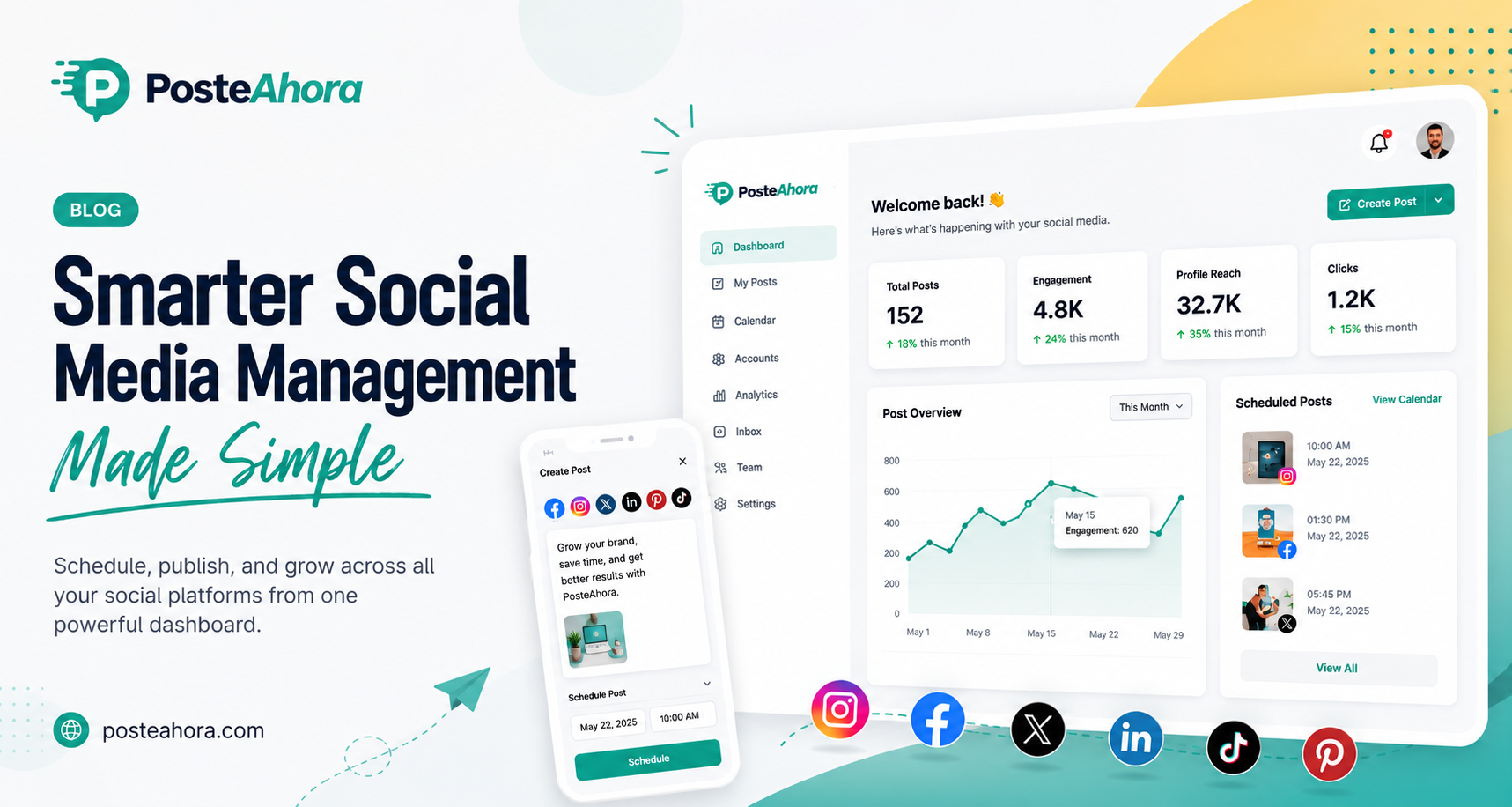
PosteAhora is an AI-powered social media publishing workspace. You connect your social profiles once. Then you draft, schedule, and publish from one dashboard. The big twist? It speaks MCP. That means Claude, ChatGPT, Cursor, Notion, and 15+ other agents can control it. Your agent writes captions, uploads media, and fills your calendar. Posts go out through official platform APIs. No browser scripts. No shaky workarounds. A kanban board holds your raw ideas. A visual calendar shows the week ahead. Built-in stats show what worked. Simple flow, less manual work. let’s start PosteAhora Lifetime Deal Review.
PosteAhora Pros and Cons:
Pros
- Official APIs keep your accounts safe and stable
- MCP support lets your own AI agent run publishing
- Visual calendar with drag-and-drop makes replanning fast
- One dashboard covers drafting, scheduling, and stats
- One-time payment removes the monthly subscription cost
Cons
- Analytics stay basic compared to dedicated reporting tools
PosteAhora Lifetime Deal :
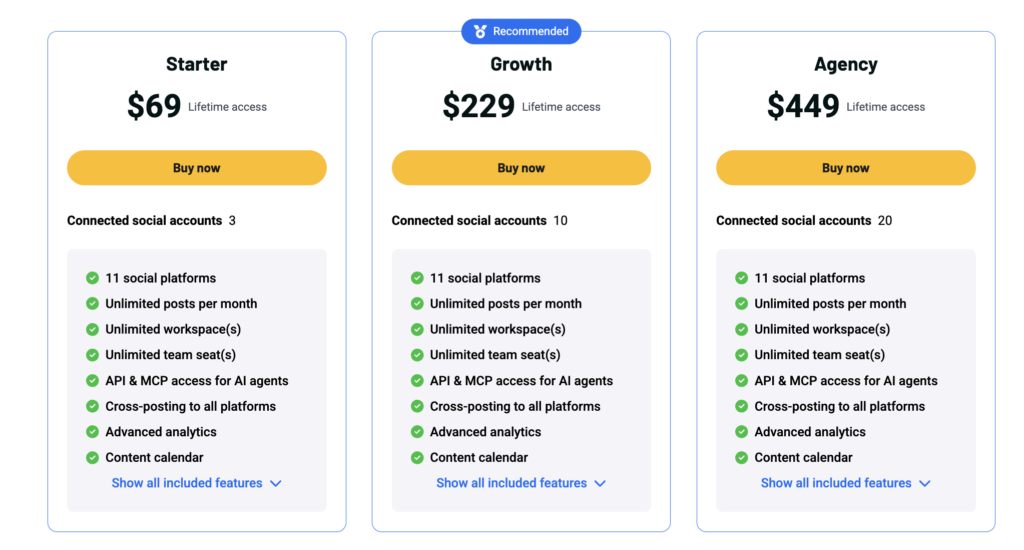
Third-party coverage points to a starting price of $49 for the entry license on AppSumo That review also lists 9 supported networks plus MCP access at that tier. The official listing sits on the AppSumo product page , which describes an AI agent that runs your social media and saves 10+ hours weekly.
Every AppSumo purchase carries the standard 60-day refund window. You test the tool, connect accounts, and request money back if it misses the mark.
One caution. AppSumo now sells some AI tools with credit bundles, annual credit refreshes, or bring-your-own-API-key setups instead of pure unlimited lifetime access . Read the deal terms closely. Check whether AI generations draw from credits.
Higher tiers add accounts, seats, and posting limits. Prices shift during live campaigns, so confirm numbers on the listing before checkout.
PosteAhora Lifetime Deal | AI Agent Social Publishing Tool
10 Key Features Explained
01. AI Agent Connection Over MCP
This is the main draw. The tool runs an MCP server. Your AI agent talks to it directly. Ask Claude for a launch campaign. It drafts the posts. It schedules them. You watch the queue fill.
No copy-paste loop. No tab switching. I tried it from a chat window. One prompt gave me a week of drafts. Rough drafts, sure. But usable. I tweaked two lines and hit approve. The tool supports 15+ agents and clients.
Chat apps work. Terminals work. Telegram works. Even your own code can call it. Here’s the thing. Most schedulers bolt AI on top. This one lets your own agent drive the whole thing. Big difference in daily speed.For solo creators, that saves real hours each week.
02. Multi-Platform Publishing
One post. Many networks. That’s the promise. The homepage lists 14 social platforms, with more planned. The AppSumo deal reviews mention 9 networks at launch. Check the current list on the deal page before you buy.
You write once. The tool pushes the post out everywhere you connected. Each network gets the right format. I posted the same update to three profiles in one click. Took under a minute.
Long story short, cross-posting stops feeling like a chore. Small teams juggle five or six profiles. Doing that by hand eats a morning. This cuts it down to a short review session. By the way, you still control each version. Edit per platform if the tone needs a change.
03. Official API Connections
This one matters more than it sounds. Some cheap schedulers fake logins in a hidden browser. Those break often. Worse, they can get your account flagged.This tool uses official platform APIs. Approved paths. Stable paths.Your accounts stay safe. Posts land on time. Nothing snaps when a platform updates its site layout. I’ve lost a Facebook page to a sketchy tool before. Never again. To be honest, this feature alone pushes it ahead of many budget r
Continueivals. The trade-off? Official APIs come with rules. Some networks limit post types or daily counts. That’s the platform’s rule, not the tool’s fault. Still, stable beats risky. Every time. For agencies handling client accounts, this is the deciding factor.
04. Content Drafting Tools
Ideas die in notes apps. Mine did for years. The drafting space fixes that. You write inside the tool. Save as draft. Come back later. Nothing gets lost. The editor stays clean. No clutter. Just text, media, and platform toggles.
I keep a rolling batch of five drafts. Monday I write. Wednesday I polish. Friday I schedule. That rhythm works well here. Your AI agent can drop drafts in too. So your queue never runs dry.
Drafts sit separate from scheduled posts. No accidental publishing. Small detail, but I appreciate it. Teams can prep content ahead of a client call. Show the drafts. Get approval. Push them live. Simple system. Does the job without extra steps.
05. Post Scheduling Automation
Set the time. Walk away. The post goes out. Publishing runs 24/7 on their servers. Your laptop can stay closed. Your phone can stay in your pocket.I scheduled a 6 AM post while I slept. It went out on time.
This matters for global audiences. Your best posting hour might be 2 AM your time. Let the tool handle it. You can queue weeks of content in one sitting. Batch work beats daily scrambling.
Here’s what I like most. Consistency stops depending on your mood. Bad day? Posts still go out. Vacation? Same. The scheduler pairs well with the AI agent. Agent writes. Scheduler ships. You just check in now and then. For anyone chasing steady growth, that loop is the whole point.
06. Live Post Previews
Ever posted a caption that got cut off? I have. Twice.Previews stop that. You see how the post looks on each network before it goes live. Text length. Image crop. Link display. Instagram crops squares. Twitter cuts long text. LinkedIn hides text behind “see more.” Each one behaves differently.The preview shows those differences side by side. I caught a bad thumbnail crop this way. Fixed it in ten seconds. Would have looked sloppy otherwise.
Small features. Saves real embarrassment. Brand accounts care about this most. One ugly post can dent trust. The way I see it, previews turn guessing into checking. That’s worth the screen space. You approve what you actually see. Not what you hope shows up.
07. Media Format Validation
Platforms are picky. Very picky. Wrong aspect ratio? Rejected. Video too long? Rejected. File size too big? Rejected. The tool checks your media before you schedule. It flags problems early.
I uploaded a wide video for a vertical feed. Got a warning right away. Fixed it before scheduling. Without this check, you’d find out after the post failed. Hours later. Maybe days.
Failed posts hurt. You lose the timing. You lose the momentum. Validation catches those errors up front. Less cleanup work. For teams posting video across networks, this saves a lot of back and forth with designers. Come to think of it, this is one of those features you ignore until it saves you. Then you notice it every time.
08. Ideas Kanban Board
Ideas need a home. Sticky notes don’t count. The kanban board holds them. Drag cards between columns. Raw idea. In progress. Ready. Whatever setup fits your flow.
I dump every random thought here. Podcast clip idea. Customer question. Meme concept. Later, I pull the best ones into drafts. The board keeps your pipeline visible. Empty board? Time to brainstorm. Full board? Time to write. Your AI agent can add cards too. Ask it for 20 topic ideas. They land on the board. Teams use it for handoffs. Writer picks a card. Moves it to “drafting.” Everyone sees the status. No more “who’s working on what” messages. Simple project tracking, built right where you publish. Fewer tools to check.
09. Visual Content Calendar With Drag-and-Drop
The calendar shows your month at a glance. Every scheduled post in its slot. Gaps jump out. So do clusters. You spot Tuesday’s empty day instantly. Need to move a post? Drag it. Drop it on the new date. Done. I shifted a whole product launch back three days this way. Took maybe 30 seconds. No re-entering times. No deleting and rebuilding. That flexibility helps when news breaks. Pull a post. Move it. Reschedule. Agencies planning client campaigns live in this view. Clients understand calendars. Screenshots make good status updates. Color coding by platform helps you balance the mix. Too much LinkedIn? You’ll see it. Planning gets faster when you can see the shape of your month. That’s the real benefit here.
10. Built-In Performance Analytics
Posting blind wastes effort. Stats fix that. The dashboard shows how each post performed. Reach. Engagement. Growth over time.You spot patterns. Maybe your Thursday posts beat Monday posts. Maybe carousels beat single images. I checked my numbers after a week. Two posts pulled 4x the average. Both were short and asked a question. Good to know. Then I made more like those.
Analytics live in the same place as your calendar. No jumping to five native dashboards.That single view saves time and gives a clearer picture. Now, don’t expect deep enterprise reporting. This covers the basics well. Enough to guide decisions. For most creators and small teams, basics are plenty. You just need to know what to repeat.
Read More: Drime Cloud Lifetime Deal | Secure Storage With Built-In Signing
AppSumo lists PosteAhora with tiered lifetime licenses. Each tier adds more connected accounts and higher posting limits. Higher tiers suit agencies handling many clients. Every AppSumo purchase includes the standard 60-day money-back guarantee. You pay once. No renewal fees. Codes stack on some deals, so check the terms on the listing. Prices and tier limits change during a campaign. Visit the live deal page for current numbers before buying. Compare the tier limits against your actual account count first.